
Introduction
Mini portable inkjet printers are revolutionizing the way people print on different surfaces. Unlike traditional printers, these compact devices allow you to print on everything from paper to wood, glass, metal, and even fabric. Whether you’re a business owner, artist, or hobbyist, knowing how to use one properly can save you time and effort.
What is a Mini Portable Inkjet Printer?
A mini portable inkjet printer is a handheld device designed for on-the-go printing. It uses advanced inkjet technology to print on various materials without the need for a fixed setup.
Key Features:
- Compact and lightweight
- Wireless connectivity
- Rechargeable battery
- Quick-drying ink
- High-resolution printing
How Do Mini Portable Inkjet Printers Work?
These printers function by spraying tiny droplets of ink onto a surface, creating sharp and detailed images or text. Unlike traditional printers, they don’t require paper feeding, making them versatile for unique applications.
Benefits of Using a Mini Portable Inkjet Printer
- Portability: Ideal for printing anywhere without bulky equipment.
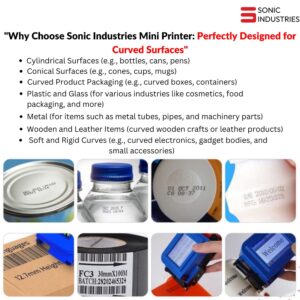
- Versatility: Prints on multiple surfaces, including rough and curved ones.
- Cost-Effective: No need for additional printing materials like labels.
- Time-Saving: Quick setup and printing process.
- Customizability: Allows personalized prints for business branding
Types of Surfaces You Can Print On
| Surface Type | Suitable Printer Type | Special Considerations |
| Paper | Standard Inkjet | Use high-quality paper for best results |
| Wood | UV Inkjet Printer | Ensure surface is smooth and dry |
| Glass | UV Inkjet or Thermal | Use waterproof ink for durability |
| Fabric | Textile Inkjet Printer | Pre-treat fabric for better adhesion |
| Metal | Solvent Inkjet | Clean surface for better ink bonding |
Choosing the Right Mini Portable Inkjet Printer
When selecting a printer, consider:
- Ink type (solvent, UV, thermal, etc.)
- Print quality & resolution
- Battery life
- Wireless connectivity
- Cost of ink refills
Required Materials & Preparation Steps
Before printing, gather:
- A mini portable inkjet printer
- Compatible ink cartridges
- A clean and dry surface
- Protective gloves (if needed)
Preparation Steps:
- Charge the printer fully.
- Install and calibrate the ink cartridge.
- Clean the surface to remove dust and oils.
- Select the appropriate ink and settings for the material.
Step-by-Step Guide to Printing on Various Surfaces
1. Printing on Paper
- Place the paper on a flat surface.
- Adjust print settings for paper type.
- Print in a slow, steady motion.
2. Printing on Wood
- Sand the wood for smoothness.
- Use UV ink for long-lasting prints.
- Seal with a protective layer if necessary.
3. Printing on Glass
- Clean the glass thoroughly.
- Use waterproof ink for durability.
- Allow extra drying time.
4. Printing on Fabric
- Use textile ink for permanent results.
- Pre-treat fabric to enhance adhesion.
- Heat-set the print for washability.
Troubleshooting Common Printing Issues
| Issue | Solution |
| Ink Smudging | Use quick-dry ink and allow extra drying time |
| Blurry Prints | Adjust printer settings and use a steady hand |
| Ink Not Sticking | Choose the right ink for the surface |
| Battery Drains Fast | Keep the printer fully charged before use |
FAQs
1. Can I print on curved surfaces?
Yes, but you need to adjust the printing angle and use a slow, steady motion.
2. What’s the best ink for printing on metal?
Solvent-based ink works best for long-lasting adhesion on metal surfaces.
3. Do mini portable inkjet printers require special software?
Most models have dedicated mobile apps for easy customization and printing.
4. How long does the ink last?
Ink longevity depends on usage and storage conditions, but refills are widely available.
5. Can I use my mini portable inkjet printer for business branding?
Absolutely! They are perfect for printing logos, barcodes, and packaging labels.
6. Are these printers waterproof?
It depends on the ink type—waterproof inks are recommended for durable prints.
Conclusion
A mini portable inkjet printer is an invaluable tool for printing on almost any surface. With the right techniques and materials, you can achieve professional-quality prints easily. Whether for personal projects or business applications, investing in a good portable printer can save time and expand creative possibilities.